‹ Guides
Guide 6 of 8
Check a print will fit before you start it
Make sure every colour has enough filament left on its spool before a long print, and see how much a running print still needs.
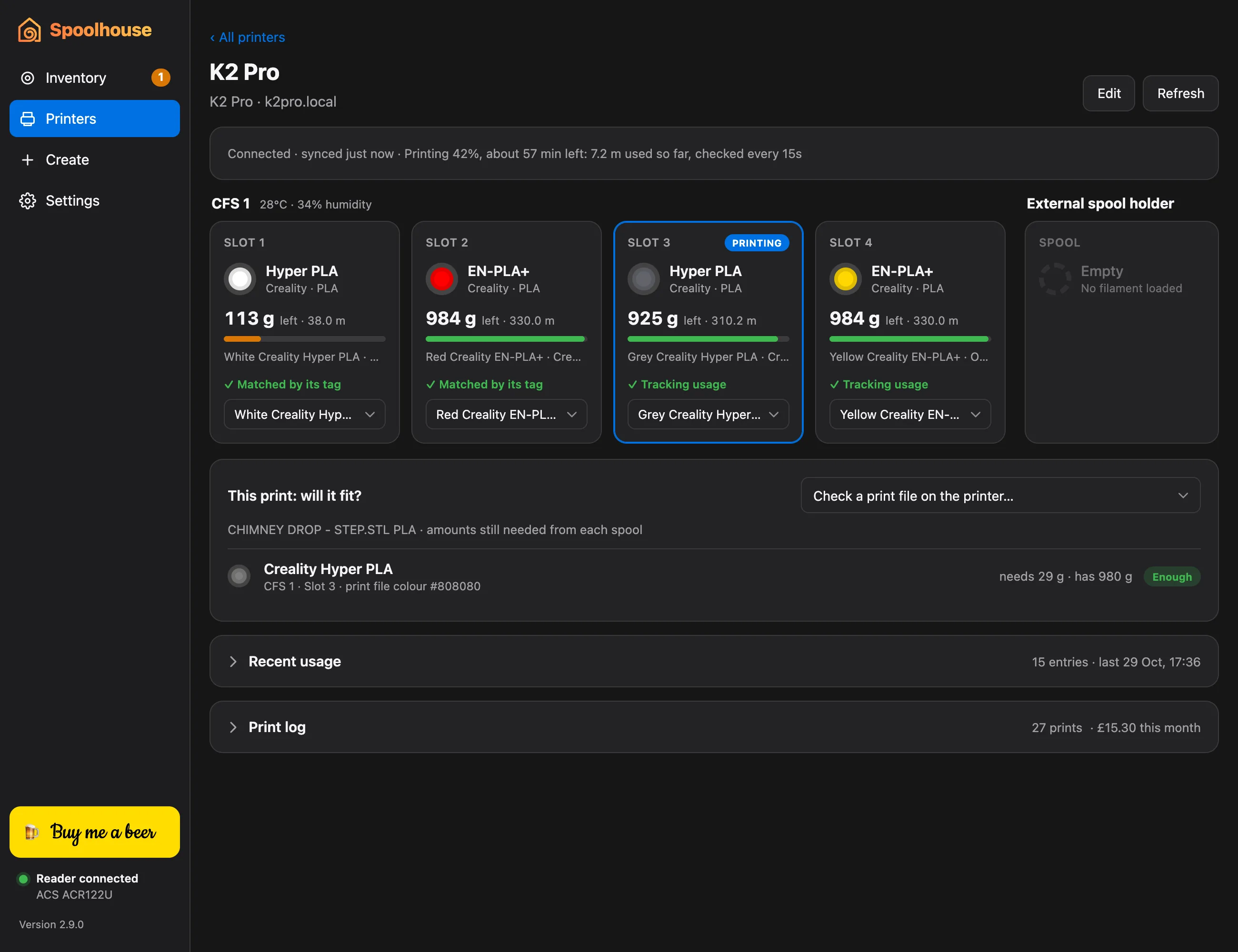
There's nothing worse than a spool running out at hour nine. Spoolhouse reads how much of each colour a print needs from its file and compares it with what's left on each loaded spool.
Before you print
- Send the print to your printer from Creality Print or OrcaSlicer as usual.
- In Spoolhouse, open the printer from Printers.
- Under Will it fit?, choose Check a print file on the printer… and pick the file.
- Each colour shows what it needs and what its spool has, marked Enough or not.
A colour that isn't loaded shows whether you have it in your inventory.
While it prints
The same card shows the running print: how much of each colour it still needs, with the print's progress and time left. Spoolhouse can also notify you when a print is likely to run out.
You need the printer connected and its spools in your inventory.